Digital audio
as a video picture
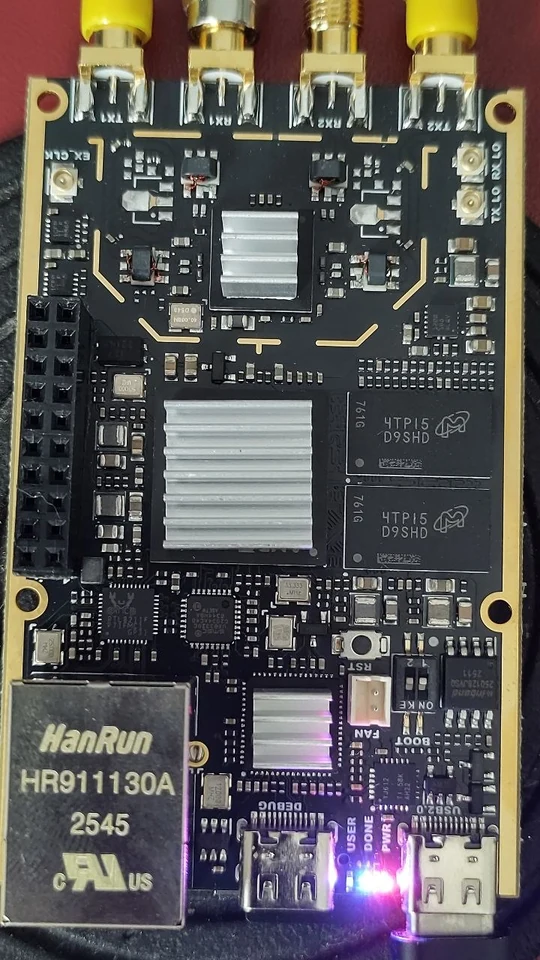
In the eighties you recorded digital audio with a video recorder: the Sony PCM-F1 and the EIAJ processors put the bits into the video picture as black and white blocks. digiPCM does the same with the SDR7020 (Zynq 7020 + AD9363), and transmits the picture as FM-ATV. The receiver is in there too. Everything happens in the FPGA; you operate it in a web browser.
Test version 0.3 (3 November 2026). Everything is on the SD card, including your settings. Nothing is written to or removed from the 7020's memory: take the card out, and the 7020 is as it was.
- Formats: EIAJ 14-bit and Sony PCM-F1 16-bit, PAL or NTSC, 44.1 kHz stereo (NTSC 44.056 kHz). No colour burst, as back then.
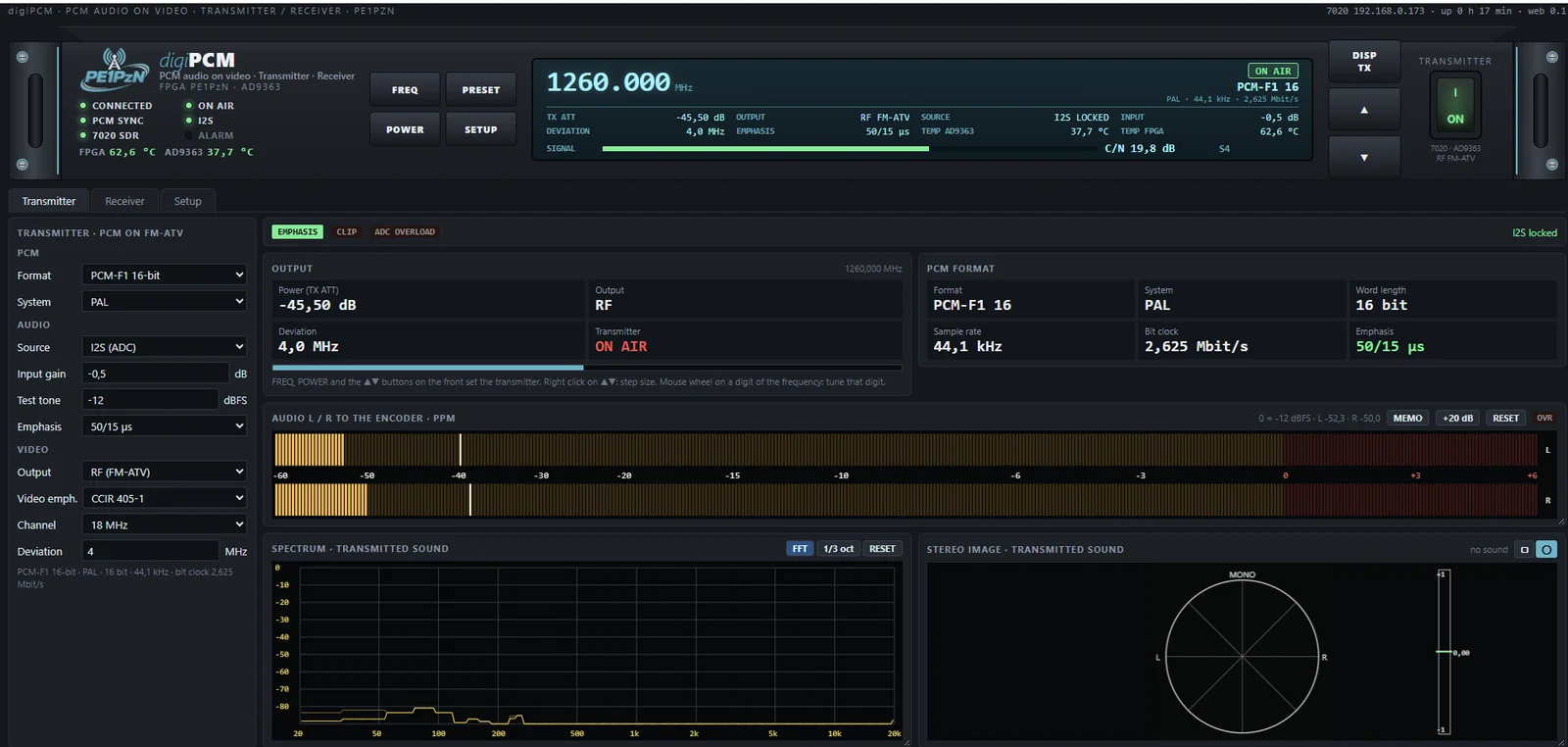
- Transmitter: the PCM picture goes on air as FM-ATV, with CCIR 405-1 video pre-emphasis. Channel 18 or 27 MHz wide, adjustable deviation (default 4 MHz).
- Sound in: a test tone or an I2S ADC on the 7020. Audio emphasis 50/15 µs on or off.
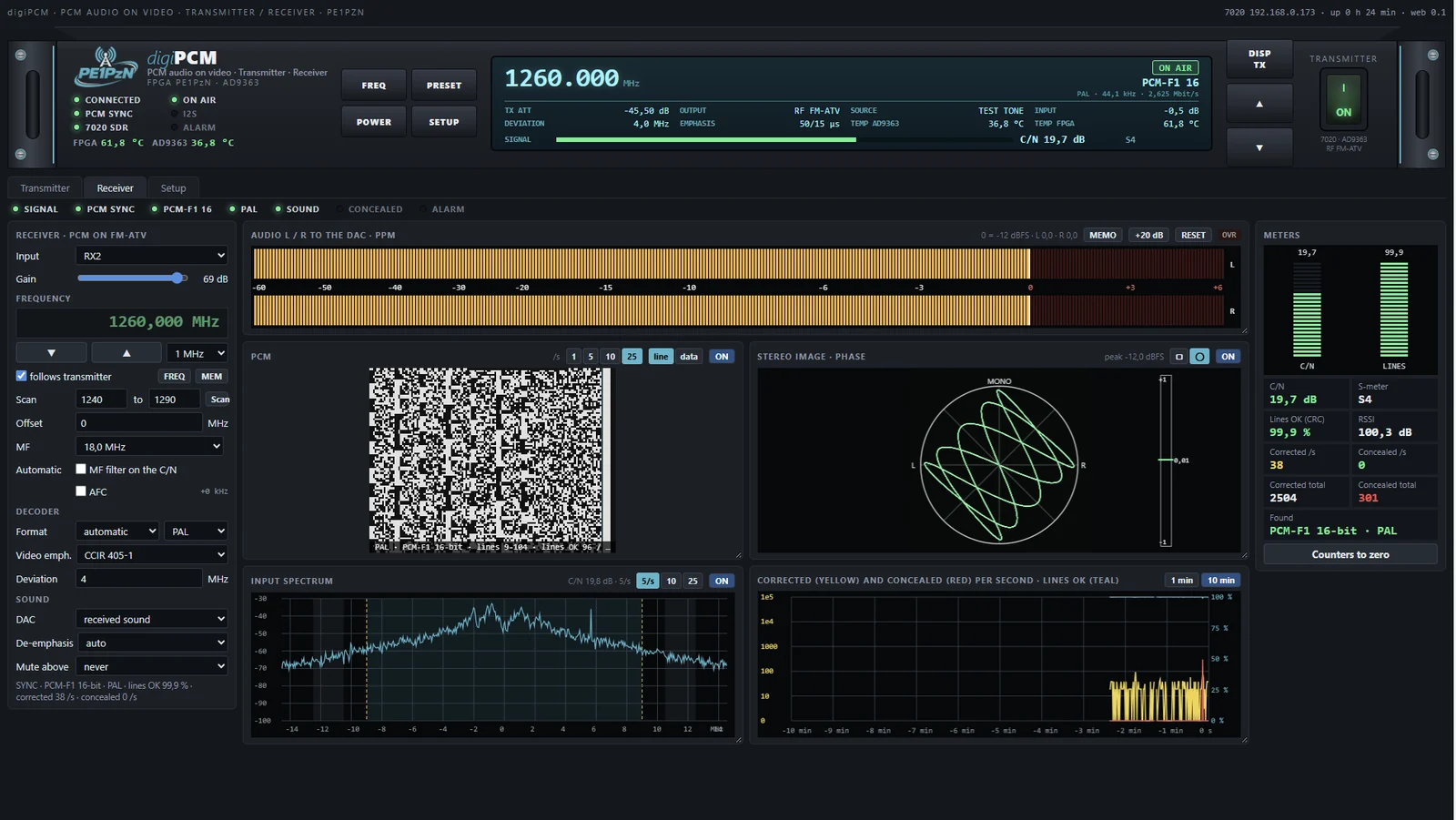
- Receiver: FM demodulator and PCM decoder in the FPGA. It finds the format by itself. Error correction, and what cannot be repaired is concealed. The sound goes to the DAC on the 7020; the de-emphasis follows the emphasis bit in the signal.
- IF filter: from 6 to 27 MHz, by hand or automatically on the C/N. Also scan and AFC.
- Measuring: the PCM picture as the decoder sees it, input spectrum with C/N, PPM, audio spectrum, stereo image (square or round, like a vectorscope) and the errors per second over 1 or 10 minutes.
- Double click on a box makes it large; with the bottom right corner you make a box taller or shorter.
The SHA-256 checksum is shown with the download. In PowerShell you check it with Get-FileHash filename.zip.
WHAT YOU NEED
FIRST TIME
Questions
Everything is explained step by step in the manual (pdf). This is a test version. Something not right? Let me know, preferably with a screenshot and the report from Controle.bat.