Two audio meters
for your desk
You cannot judge your own modulation by ear. Within a minute your ear gets used to too loud, too quiet and to a channel that is out of phase. That is why you measure it. These two programs show what really comes out of your card: level, peak, phase, spectrum and loudness. Windows, one file, nothing to install. For Linux the source code is ready. The programs use Dutch labels.
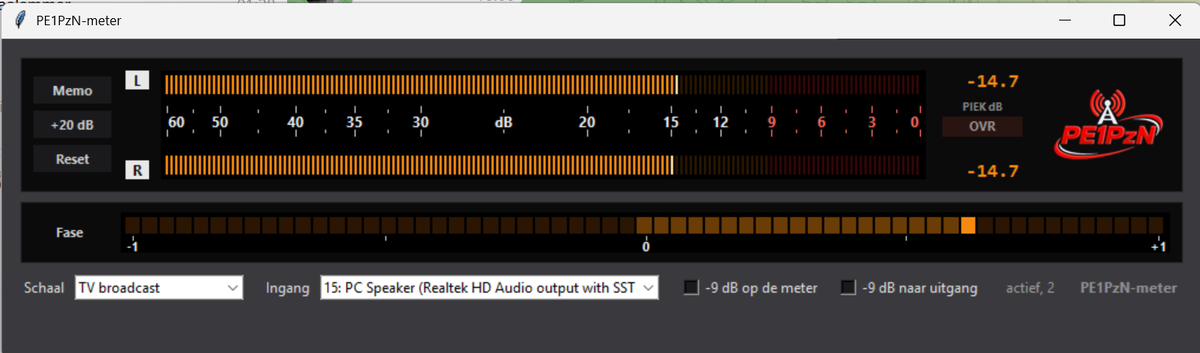
A stereo peak meter as they hang in the control room. The scale runs from 60 to 0, and those numbers are dB below digital full scale. The 0 is the upper limit: you cannot go further than full, above it the crackling starts.
The bars follow the DIN ballistics: ten milliseconds integration time and a fall-back of twenty dB in one and a half seconds. That is not decoration but the reason a PPM is usable: it shows what you hear instead of jumping at every click.
- Two scales. TV, where the red starts at -9, and radio, where you may run up to full.
- Peak memory. Memo holds the highest value until you clear it, with the measured value in figures next to it.
- Clip lamp. Looks at the bare sample value, so it does see a single full-scale click that the bar does not reach.
- Phase meter. Right is mono, middle is wide stereo, and on the left it turns red: then your sound drops out as soon as someone listens in mono.
- Line-up tone. 1 kHz at -9 dBFS, on the meter itself or to your output, so you can check your whole chain.
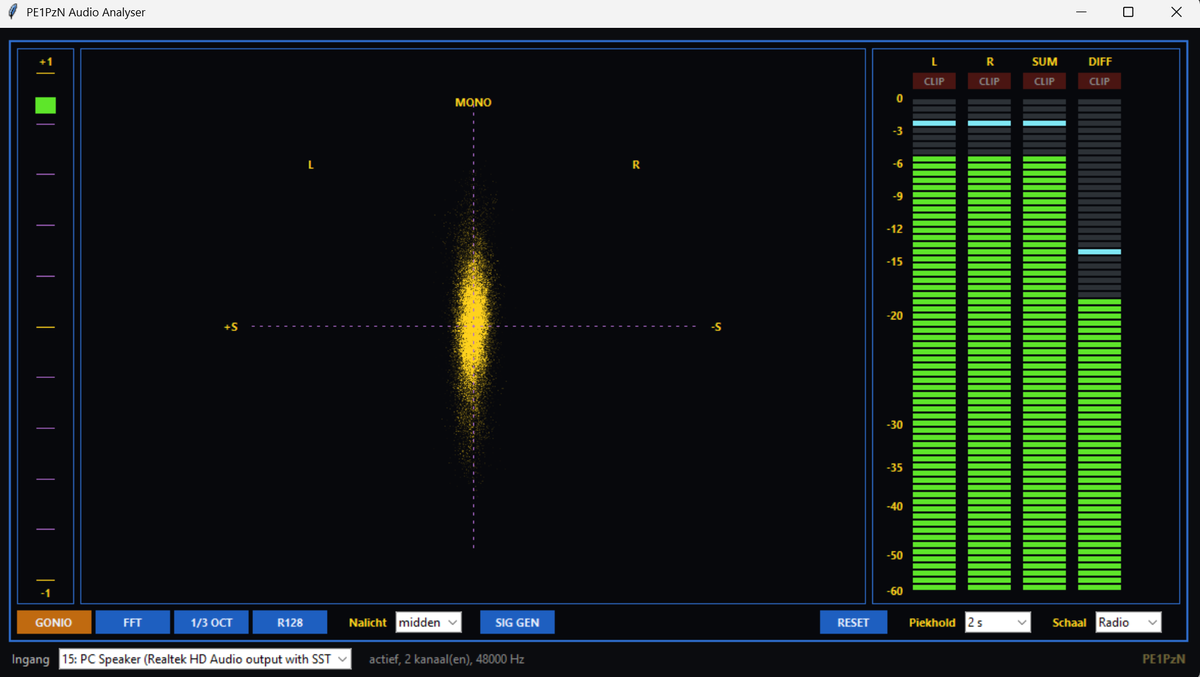
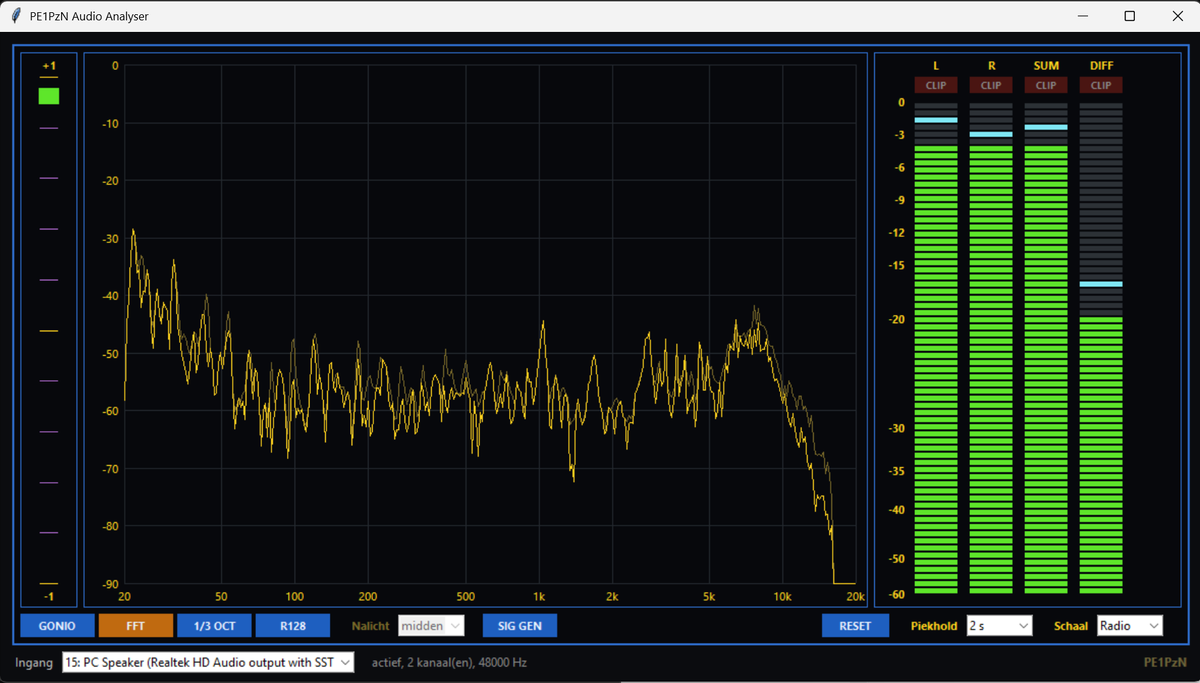
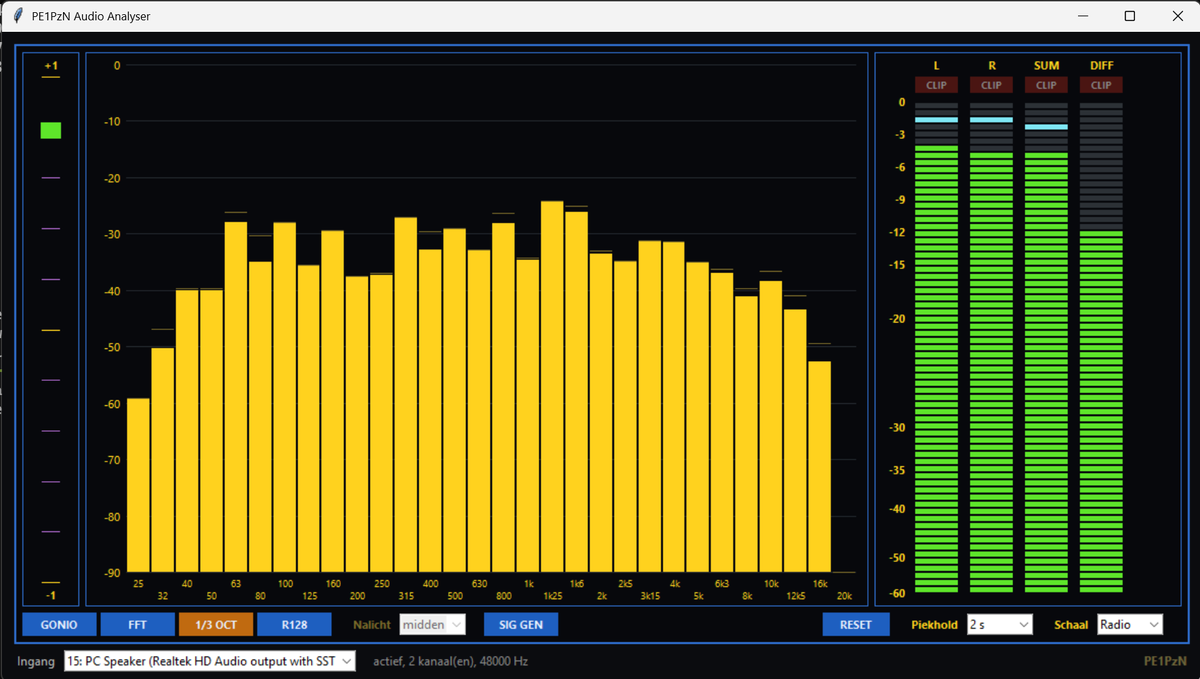
The second one is an analyser modelled on the stereo displays that used to stand in every broadcast control room. On the left the phase meter, on the right four bars, and in the middle a panel you choose yourself.
Those four bars are L, R, SUM and DIFF. Sum is what a mono listener gets, diff is the stereo information itself. If sum drops while diff shoots up, you have a phase problem, and you see that here before you hear it.
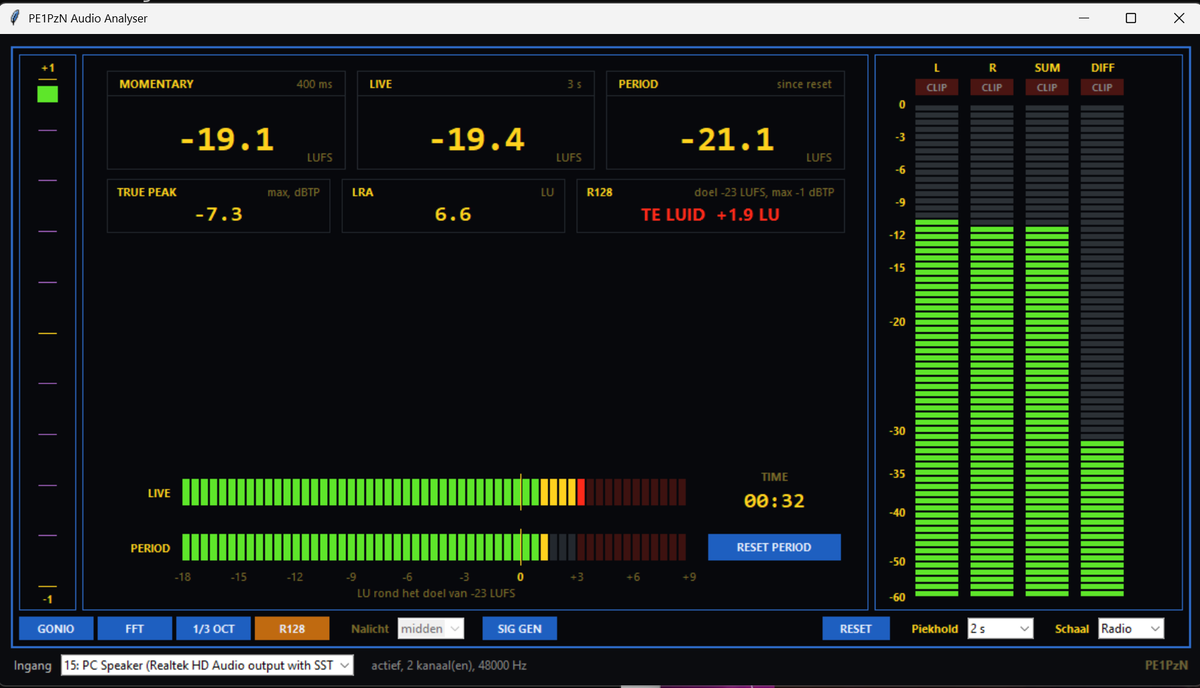
Loudness to EBU R128
This is the measurement broadcasters steer by and that most radio amateurs have never looked at. Not how high your peak is, but how loud it sounds, with the weighting that imitates the human ear.
- Momentary over 400 ms, live over 3 seconds, and the whole broadcast from the moment you start the measurement.
- True peak, measured with four times oversampling. Between two samples the wave can come out higher than both samples themselves, and digital distribution distorts on that.
- Range between the quietest and the loudest part, so you see whether you have too much or too little dynamics.
- And a verdict in one line: are you within one LU of the target of -23 LUFS, and did you stay below -1 dBTP.
The same two meters also run on Linux, because it is plain Python. No installer and no exe, so no warning from a virus scanner either: the source code is simply included and you can read for yourself what happens.
One thing is even easier than on Windows. If you want to measure what comes out of your speakers, you need no extra driver. PulseAudio and PipeWire turn every output into a recording input too, usually with Monitor in the name. Choose it in the list and you are done.
Tested on Ubuntu 24.04 with Python 3.12. Works just as well on Debian, Mint, Fedora and Raspberry Pi OS.
Install once on Debian, Ubuntu, Mint and Raspberry Pi OS:
sudo apt install python3-tk python3-numpy python3-sounddevice python3-scipy python3-pil.imagetk
The first three are really needed. Scipy is only for the R128 measurement and Pillow only to scale the logo nicely. The read-me in the package has the lines for Fedora, Arch and openSUSE, and what to do if your package manager does not have sounddevice.
These programs are not signed with a certificate. Such a certificate costs a few hundred euros per year and I am not doing that for free tools. Result: Windows does not know the maker and warns.
What you may see when you start the exe for the first time is a blue screen with Windows protected your PC. Click More info and then Run anyway. That is not a detour around a security measure, it is the button that is there for exactly this case: unknown maker, not necessarily unsafe.
For reassurance: in a check on VirusTotal, where some seventy scanners look at the file, exactly one small scanner still flags it. Windows Defender itself, and also Kaspersky, ESET, Bitdefender and Avast, leave it alone.
If you do not trust it, and that is your right: below each download is the SHA-256 checksum of the zip file. In PowerShell you check it with Get-FileHash filename.zip. If it matches, you have exactly the file I put here and nothing has changed on the way. And of course you can run the zip through a virus scanner first.
WHAT YOU NEED
FIRST TIME
Why I made them
Because I come from broadcasting and could no longer bear the lack of a decent meter on my desk. The meters you buy cost hundreds of euros and sit in a box. These two do the same job, run on the PC that is there anyway, and as far as I am concerned anyone may use them. Free, no registration, no advertising.